
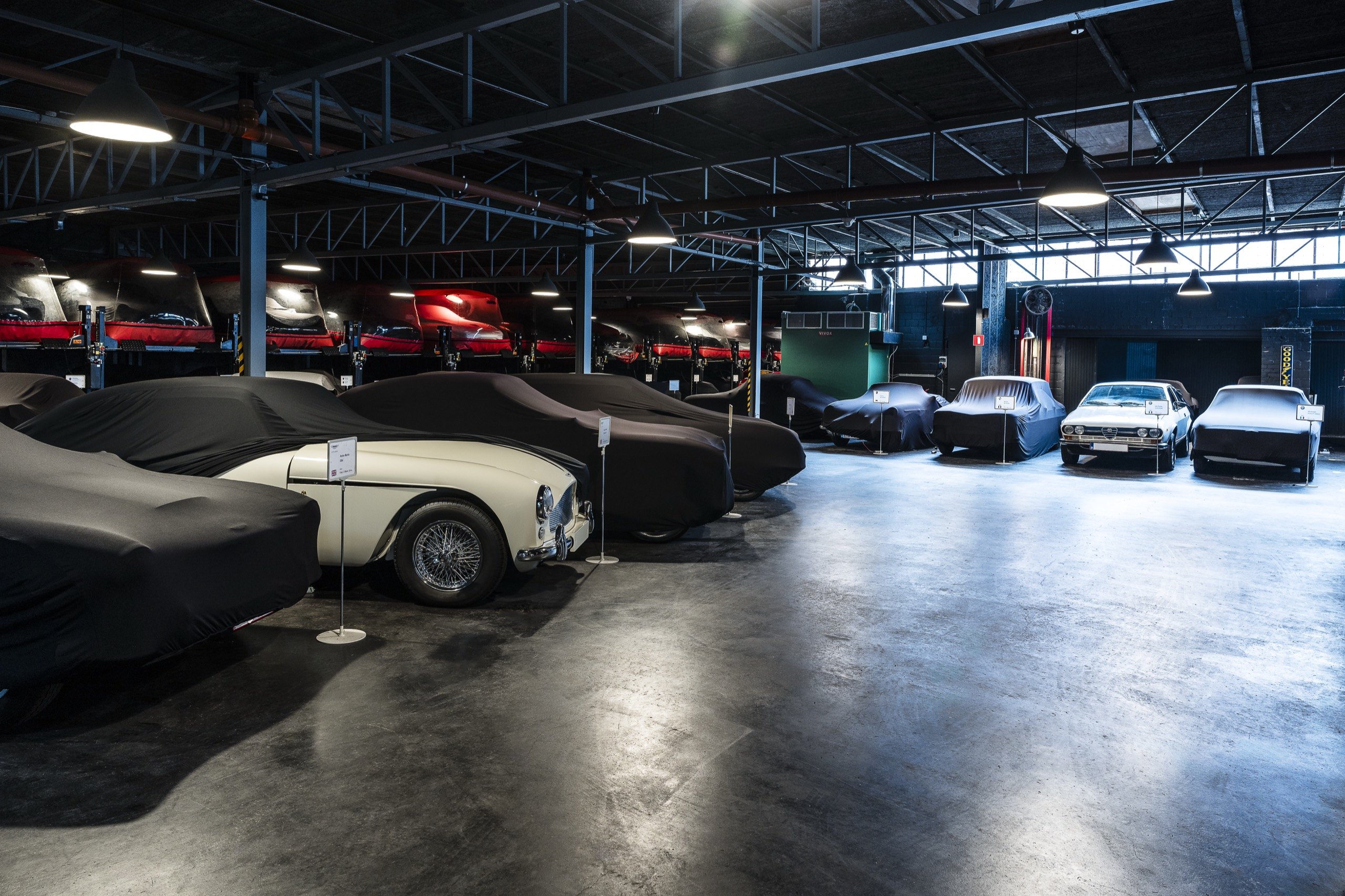
Your car now has its own file.
The WeStore client area brings together its documents, its due dates, its servicing, your workshop requests and its road book. It opens on your phone as well as on your computer.
The screens of the client area are in French for now.
WeStore · Client area New
Standard, for every car
Account creation app.westore.be

Scan to create your account.
With your phone’s camera. Five fields to fill in.
Whether your car sleeps in our hall or in your own garage, its file goes with you.
The client area is WeStore’s new online service. For each of your cars it gathers the paperwork, the dates not to miss, the service history and your exchanges with the workshop.
You do not need to be a client already to create an account. The client area is just as useful for a car you keep at home.
WeStore stores, maintains and prepares classic and prestige cars in Wavre, Belgium, in a secured 2,000 m² hall. See WeStore storage
Its documents, kept in its file.
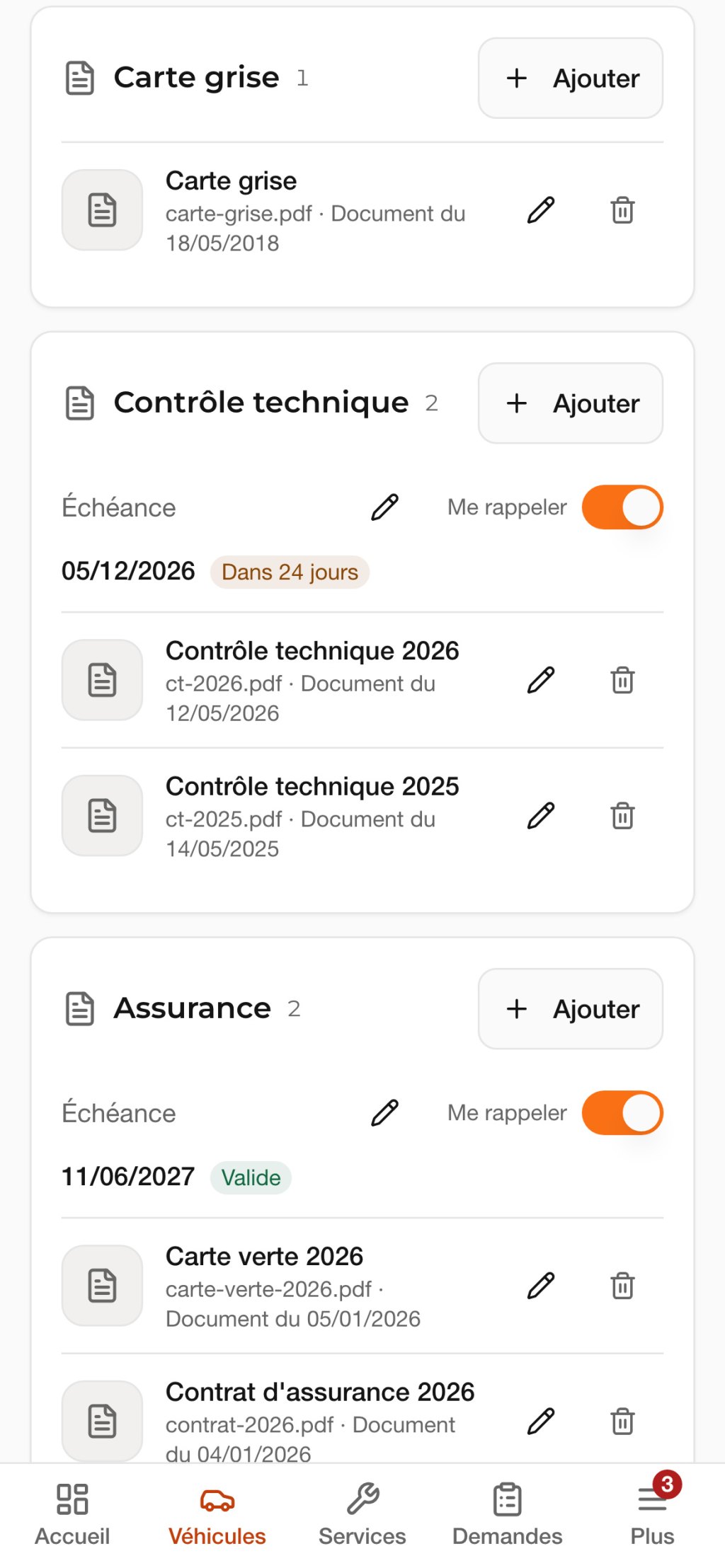
Each document goes into the file of the car it belongs to: registration certificate, certificate of conformity, roadworthiness test, insurance. The day someone asks for it, you have it to hand.
To fill in the file faster, an AI can read the document when you ask it to. It suggests the make, the model, the number plate, the chassis number or the date of the next roadworthiness test, and you tick what you keep.
- From the car’s file
- You photograph the document or choose a file, right in the car’s file.
- AI reading
- It only runs when you ask for it, one document at a time. You can also fill everything in by hand.
- In confidence
- Your documents can only be seen by you, the people attached to your account and the WeStore team.
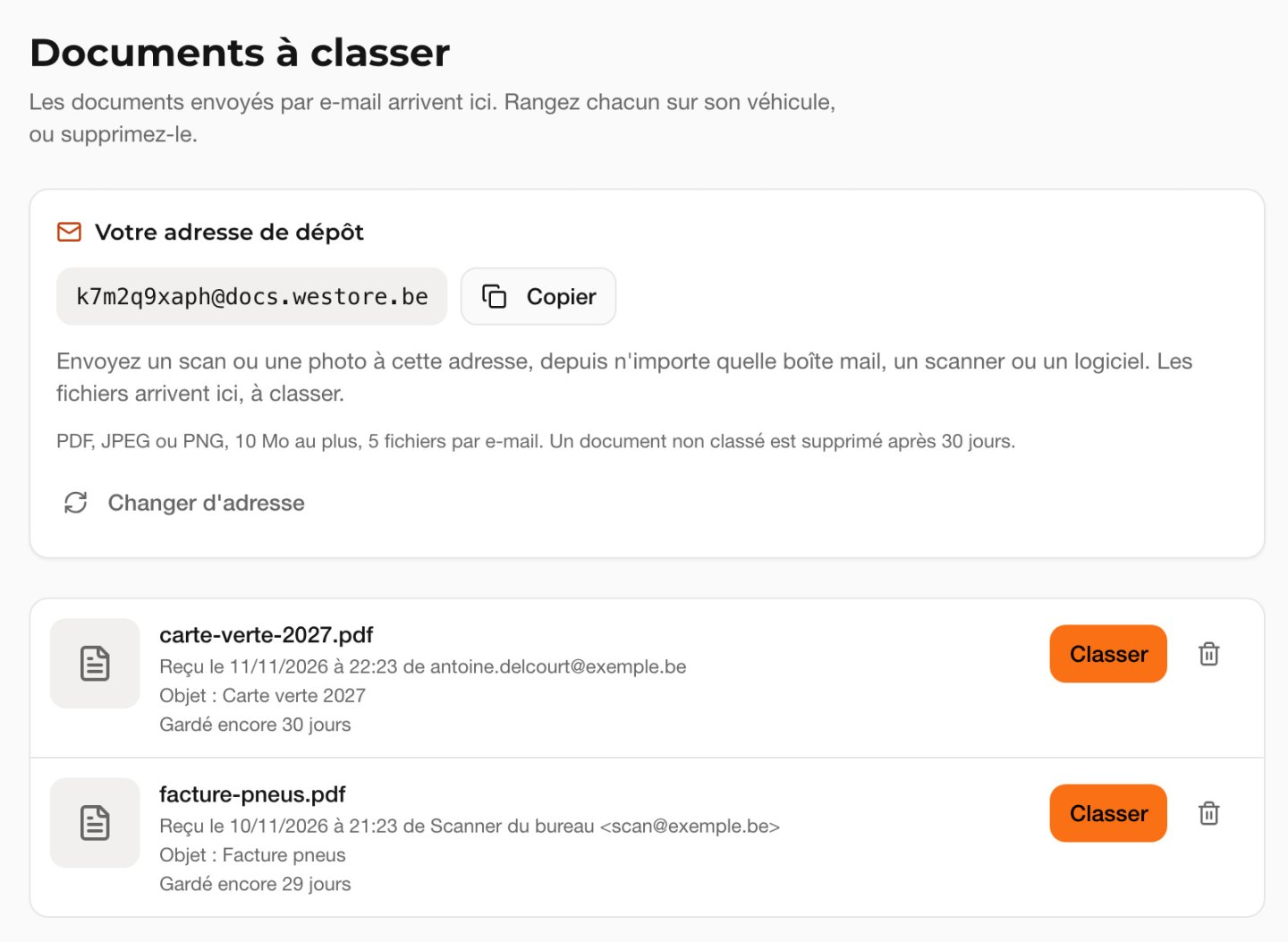
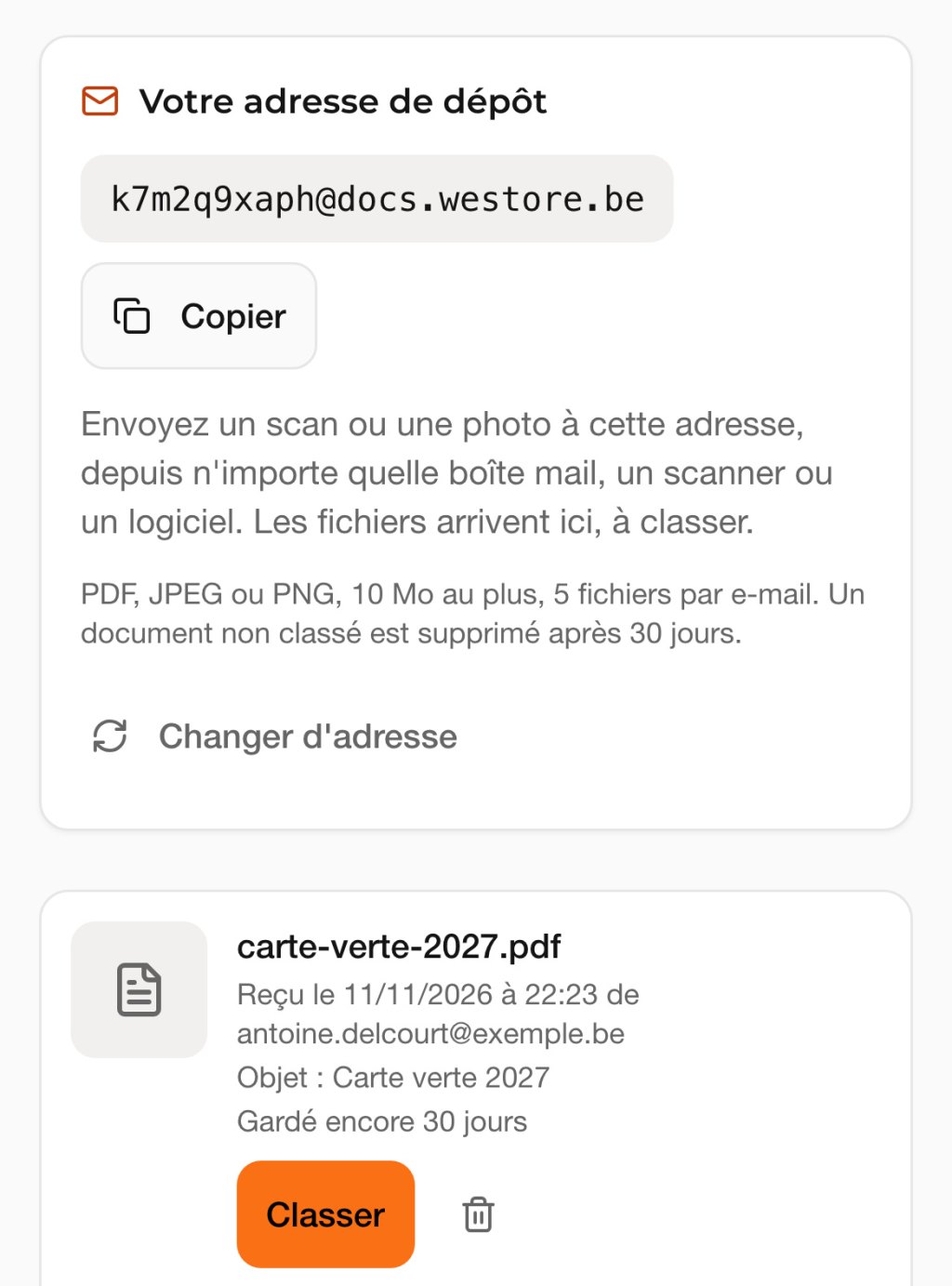
By e-mail too.
Each account receives a personal drop-off address. A document sent to that address, from your mailbox or your scanner, arrives in the client area, where it waits to be filed.
PDF, JPEG or PNG, 10 MB per file.
Real screens from the client area. The data shown belongs to a demonstration account. The screens of the client area are in French for now.
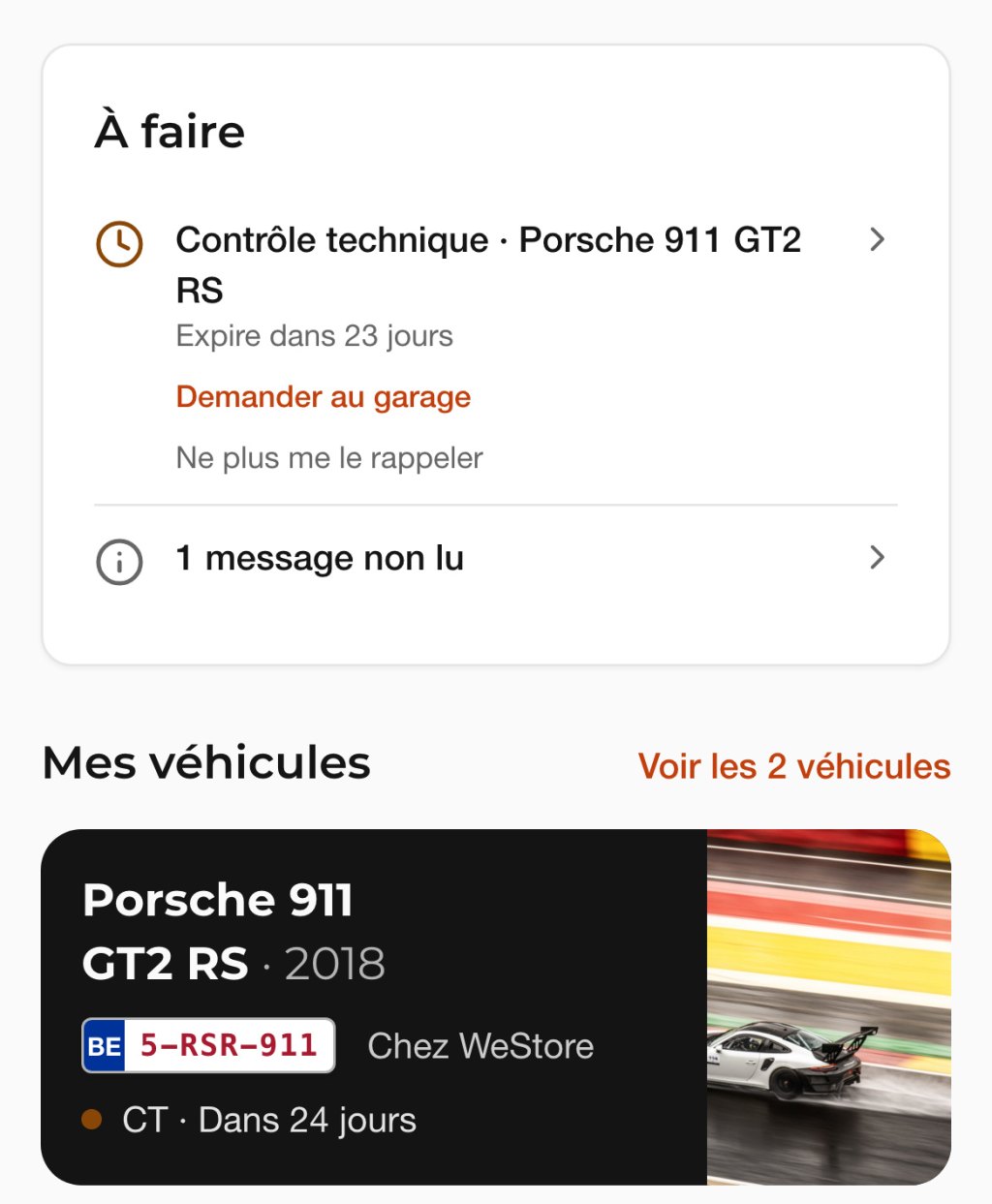
Three due dates tracked for every car.
- Roadworthiness test
- expiry date
- Insurance
- policy renewal date
- Servicing
- next appointment
When a date comes close, the client area tells you as soon as you open it. One link is then enough to ask the workshop for an appointment.
You choose, car by car, which reminders you want to keep.

In the road book, every drive leaves a trace.
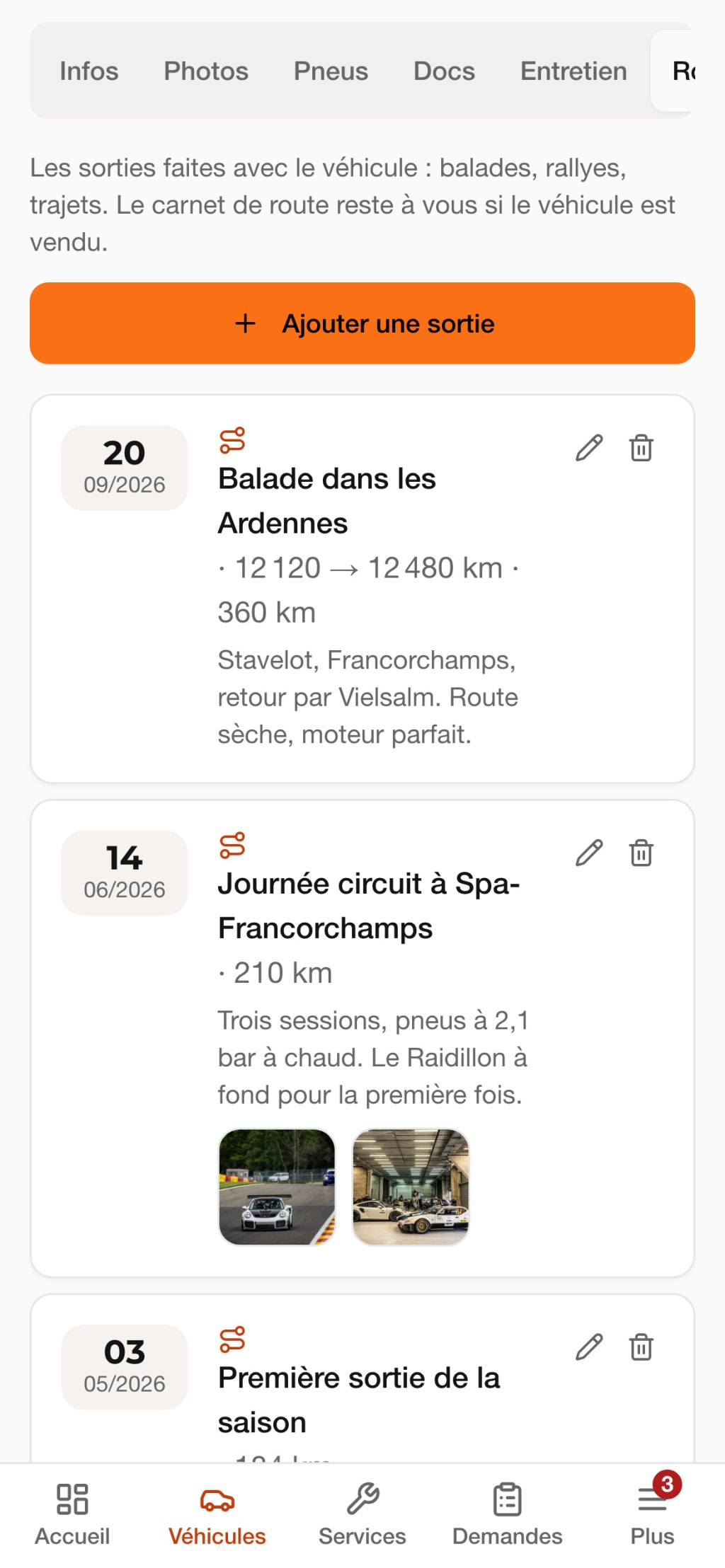
A tour through the Ardennes, a day at Spa-Francorchamps, the first drive of the season. Note the date, the kilometres, a few lines and your photos.
The service book follows the car the day it changes hands. The road book stays yours.
- A tour through the Ardennes
- 360 km
- Track day at Spa-Francorchamps
- 210 km
- First drive of the season
- 184 km
The three drives in the demonstration road book shown here.
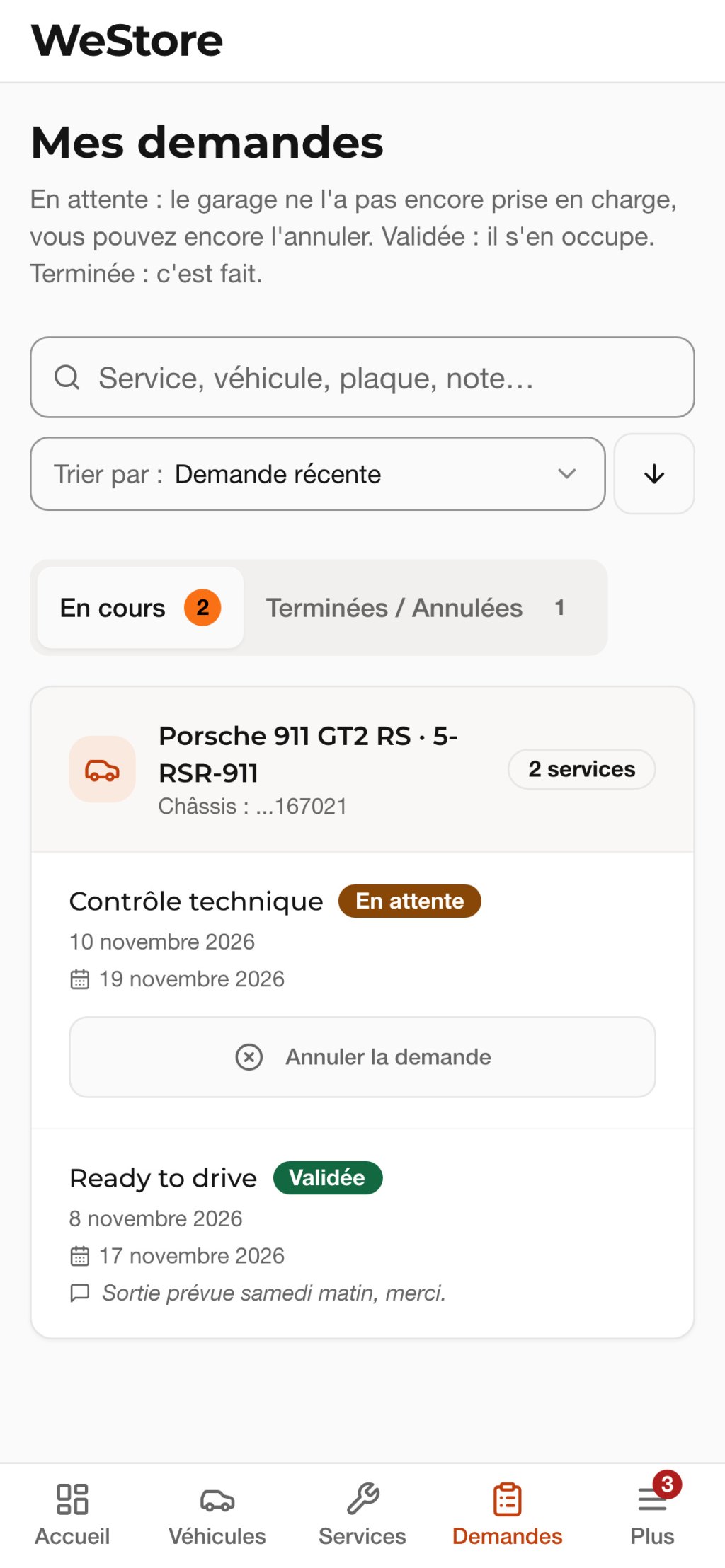
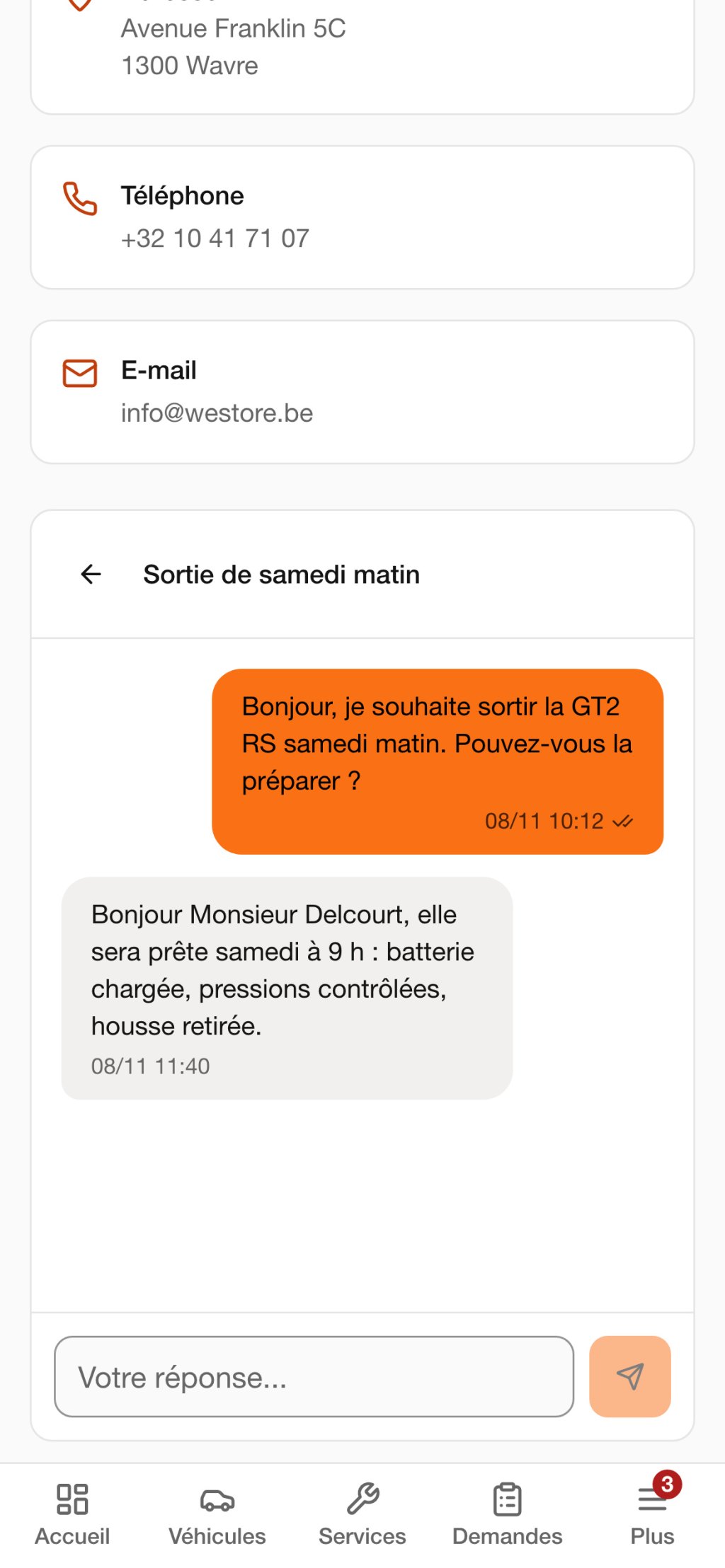
You are driving on Saturday. One request to the workshop, and the car is ready.
Choose the service from the list: preparation before a drive, roadworthiness test, annual service, cleaning, transport. Your request goes to the workshop and you follow its reply, from “En attente” (pending) to “Terminée” (done).
For everything else, messaging puts you in touch with the team, who can also be reached by phone from Monday to Friday.
+32 10 41 71 07 info@westore.be
What else the file keeps.
-
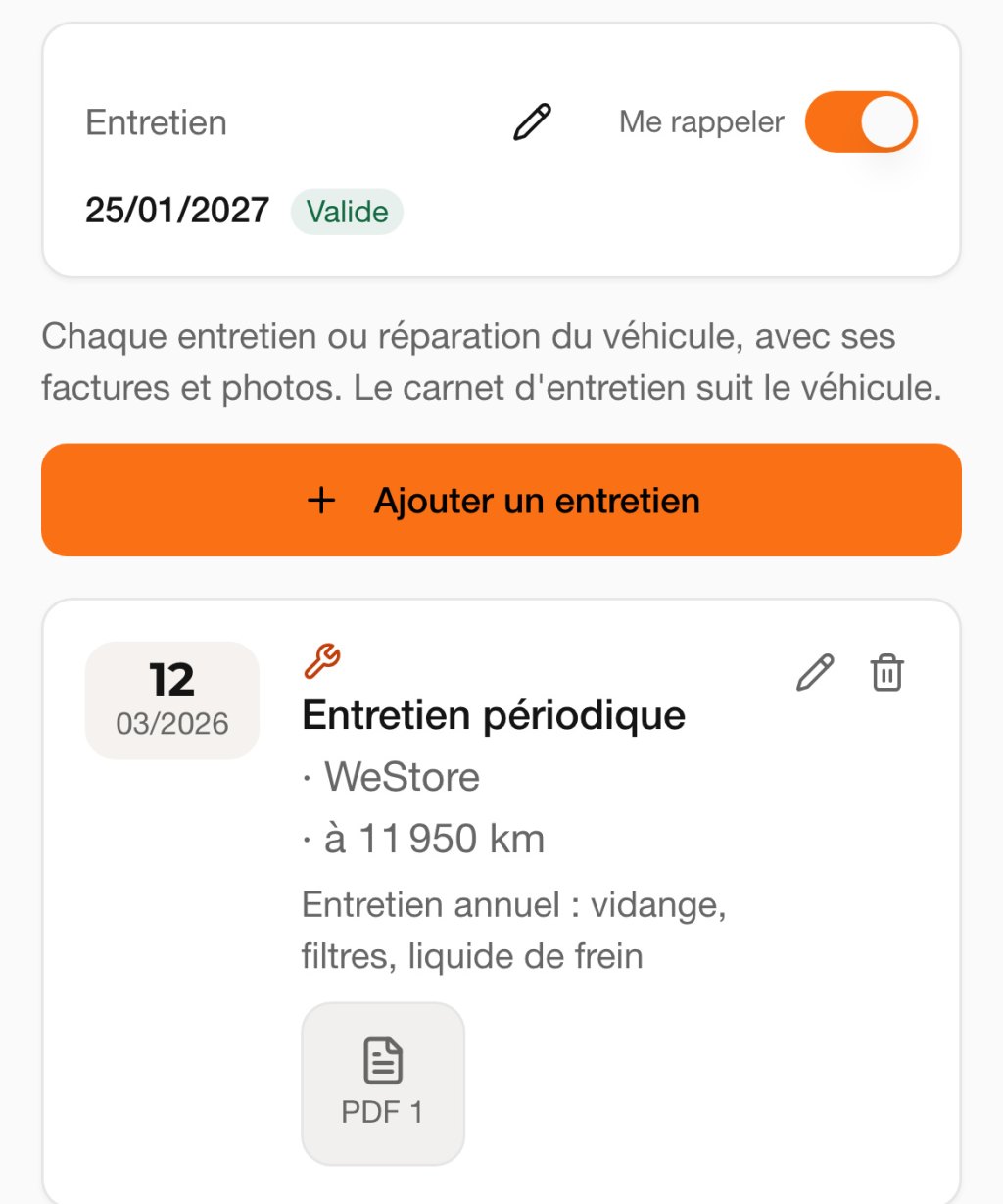
Service book
Every service or repair, with its date, mileage, invoice and photos.
-
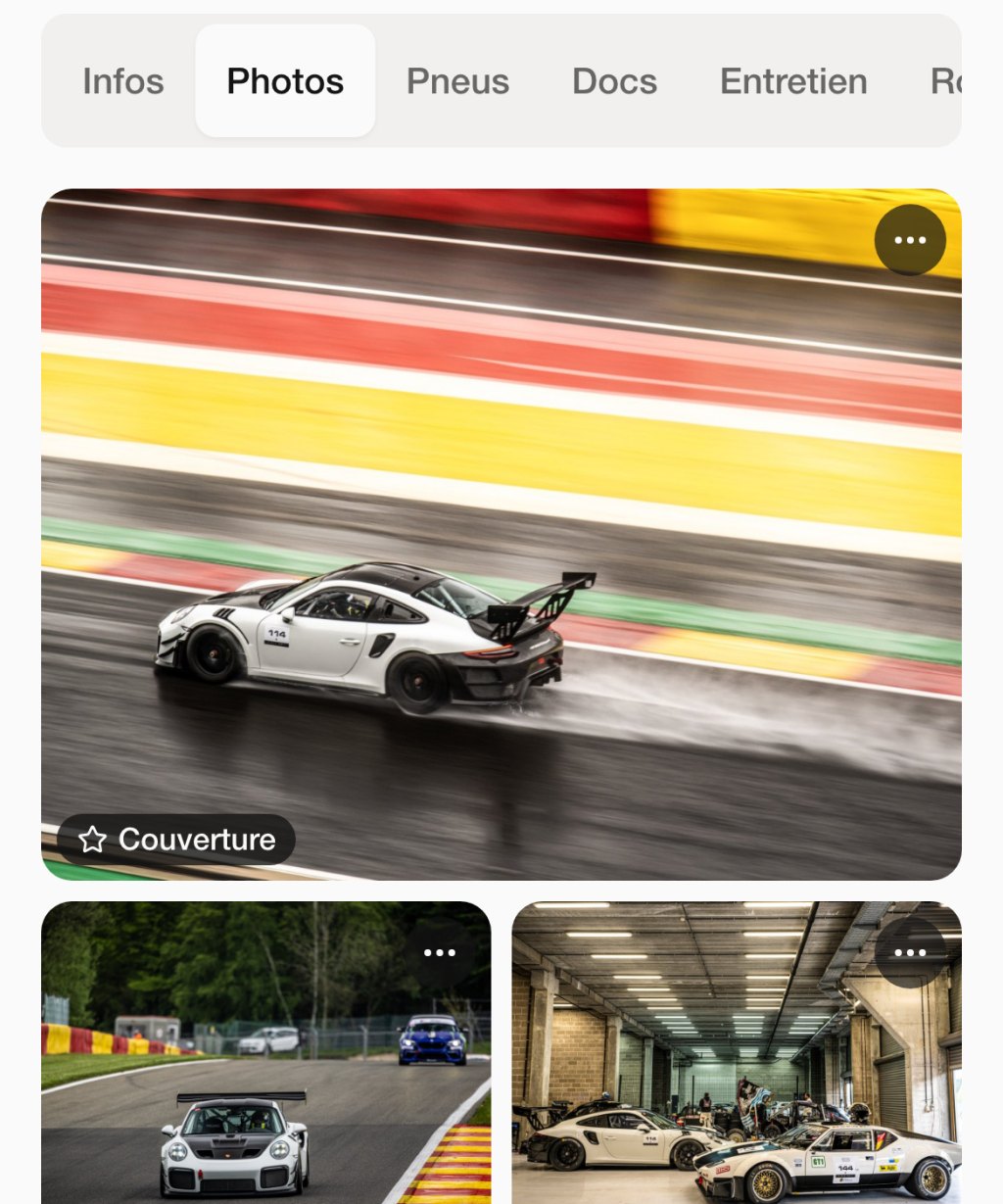
Photos
The car’s gallery, with the cover photo you choose.
-
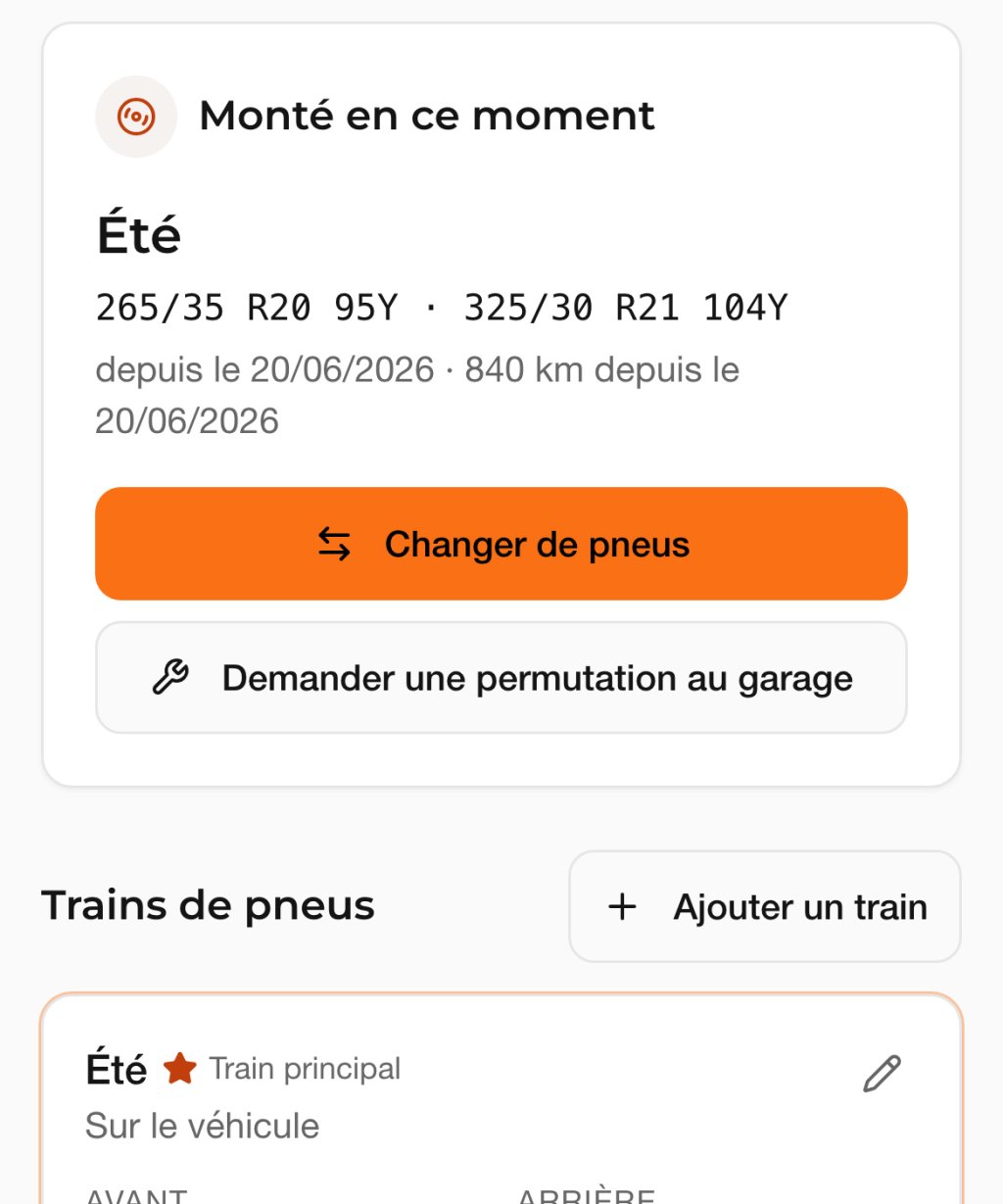
Tyres
The car’s tyre sets, their sizes, the one fitted and since when.
-
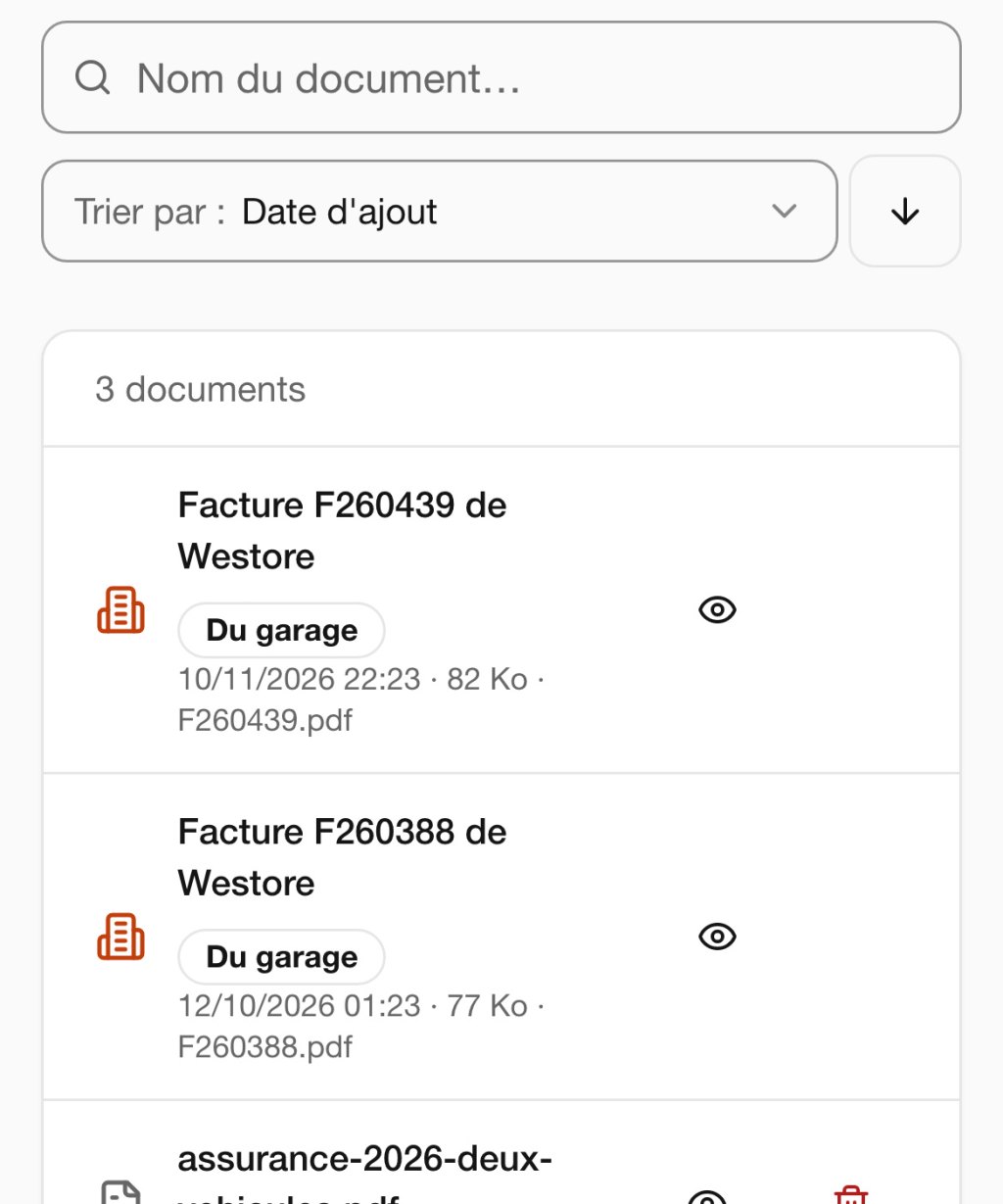
Invoices
WeStore’s invoices and your general invoices, in a section of their own.
Your data is kept safe too.
The client area is designed to respect the GDPR and the European regulation on artificial intelligence, the AI Act. Here is what that means for you.
GDPR
Your personal data
- Hosted in the European Union
- Your data and your documents are stored on servers located in the Union.
- Reserved for your account
- Your documents can only be seen by you, the people attached to your account and the WeStore team. No file has a public address.
- Encrypted in transit
- Everything that travels between your device and the client area goes through an encrypted connection.
- No advertising, no ad tracker
- The client area shows no advertising and contains no advertising tracker.
- Erasable at any time
- You close your account yourself, from the settings. Your cars, documents, messages and requests are then permanently erased.
AI Act
The AI help
- Always announced
- When an AI steps in, the client area tells you. Nothing is read in the background.
- Never without you
- It only reads a document when you ask, and it only suggests. You approve each value before it is saved.
The specifications.
What to know before you create your account.
Access
- Devices
- phone, tablet, computer
- Installation
- none, it all happens in the browser
- Address
- app.westore.be
- Language
- French for now
Account
- Creation
- 5 fields: first name, last name, phone, e-mail, password
- Activation
- e-mail to confirm, then approval by WeStore
- Cars
- stored at WeStore or kept at home
- Sign-in
- e-mail and password, encrypted connection
Documents
- Formats
- PDF, JPEG, PNG
- Size
- 10 MB per file
- Drop-off by e-mail
- one personal address per account
- Visibility
- you, the people on your account, the WeStore team
Practical questions.
Do I need to be a WeStore client already to create an account?
My car is not stored at WeStore. Is the client area still useful to me?
Who can see my documents?
Where is my data hosted?
How does the AI help work?
Can I erase my data?
Do I need to install an app?
How do I add a document?
What happens after I create my account?
What language is the client area in?

Open your car’s file.
-
Open app.westore.be
Scan the code with your phone, or follow the button.
Tap the “Create my account” button.
-
Fill in five fields
First name, last name, phone, e-mail, password. An e-mail then asks you to confirm your address.
-
Add your first car
The WeStore team approves your account. Without waiting, you can already add your cars and their documents.
Account creation app.westore.be
Scan to create your account.
With your phone’s camera. Five fields to fill in.
The team answers your questions by phone, from Monday to Friday. +32 10 41 71 07